
From Frustration to Focus: Building SnippKit 🐿️
From scattered snippets to a complete toolkit — why SnippKit was created and how it evolved into an ecosystem.

There’s a special kind of chaos in a developer’s life: digging through old projects just to find that one snippet you wrote six months ago, copying from Stack Overflow again, or having three different Notion pages with half-written functions you swear you’ve already solved before.
I hit that wall more times than I care to admit. And one day, in the middle of yet another frantic search through my VS Code history, I just muttered to myself: “This is stupid. I need a better system.”
That moment was the beginning of SnippKit.
The Problem: Code is Reusable, But We Keep Losing It
I didn’t set out to build a startup or a SaaS or whatever. I just wanted one thing:
A fast, clean, personal place to save my code snippets — and actually find them when I needed them.
Not a bloated doc. Not another plugin. Just a snippet manager that worked the way I think. Searchable, taggable, sharable if I want, private if I don’t.
That idea sat in my head for a while. Then it grew. What if it wasn’t just for me?
First Version: Ugly, Broken, But Real
The first version of SnippKit was borderline embarrassing. A dark-themed page, a basic form, and a database with barely any structure. But it worked. I could save code. Search tags. Copy it fast.
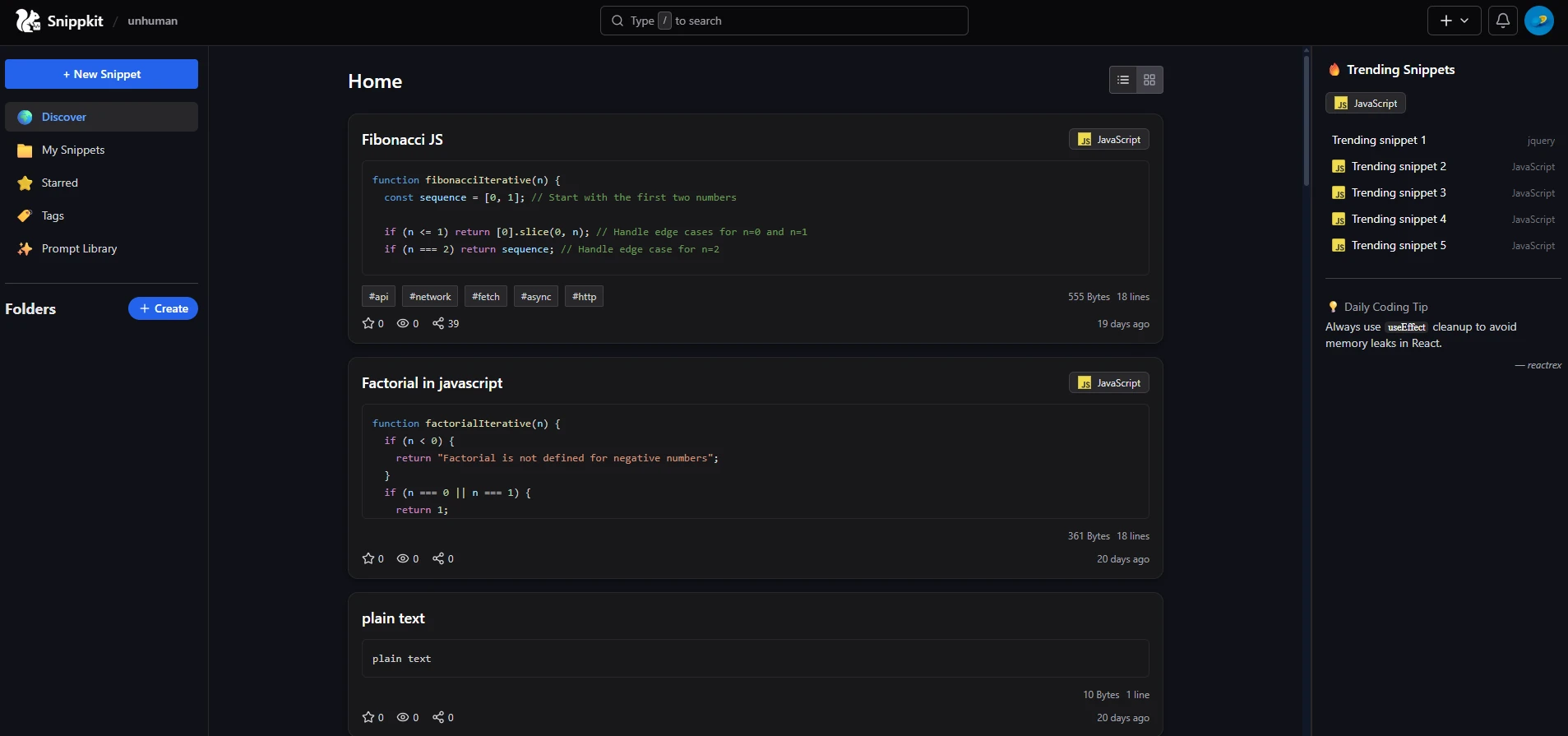
I showed it to a few dev friends. Some shrugged. Some said, “Hey this is actually useful.” That was enough.
The Shift: From Toy Project to Product
I started refining the UX. Polishing the snippet editor. Adding folders. Then came user accounts. A basic dashboard. Soon I was thinking about plans, limits, and subscriptions.
Somewhere along the way, SnippKit stopped being “just a thing I made” and started becoming a tool I relied on daily. That was the biggest sign to keep going.
What SnippKit Is Today
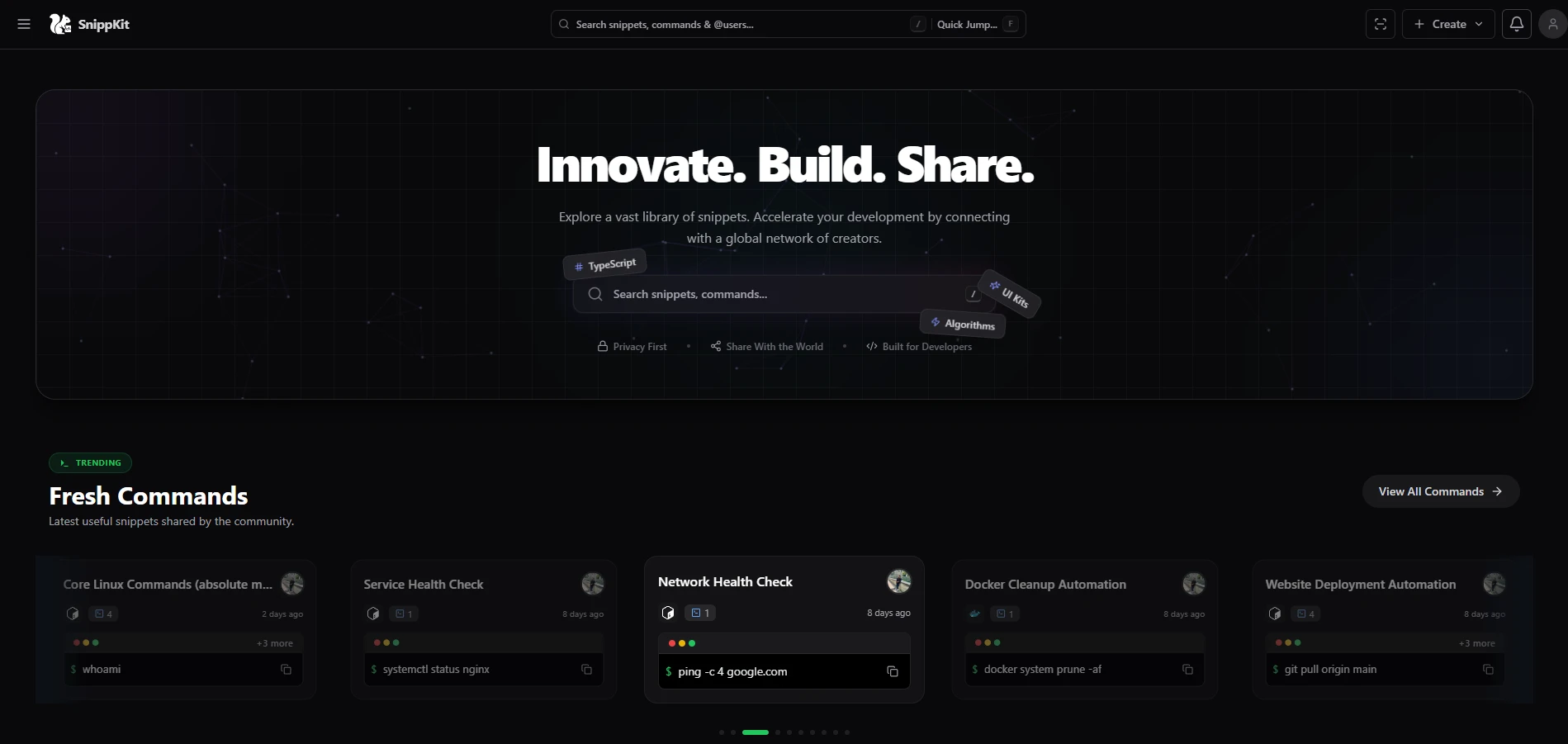
SnippKit is still evolving, but here’s what it does right now:
🚀 Save code snippets with tags, descriptions, platforms & languages
🌙 Fully supports dark/light mode
🔍 Blazing fast search + smart navigation
🔐 Private by default, shareable anytime
💾 Storage-aware limits based on your plan
🧠 Prompt Marketplace — store, reuse & manage AI prompts (images)
📝 Blog / Stories — Read Latest updates from snippkit
⚡ Commands — save powerful command shortcuts + explainable command comments
🧩 Chrome Extension — save snippets instantly from anywhere
🖥️ VS Code Extension + Snix CLI — capture & use snippets faster inside your workflow
🔗 QR Quick Sharing — share snippets/tools instantly via QR
🧰 Inbuilt Developer Tools Hub (growing library)
🔍 Metadata Inspector — inspect file metadata instantly
🫥 Invisible Text Generator — create hidden/zero-width text for fun & formatting
📱 QR Studio — generate custom QR codes
🧾 SVG Path Visualizer — edit & optimize SVG paths visually
⏱️ Cron Timeline Simulator — visualize cron schedules clearly
✅ + more tools you keep adding regularly
🤖 SIDR AI — AI-powered assistant for your SnippKit workflow
🎮 Entertainment Apps — Mini Games, Terminal Simulator, ASCII Art Studio
🧑💻 Karbon Studio + README Creator — build dev content faster
No fluff. No 40-minute onboarding. Just you and your code — organized.
What I’ve Learned (So Far)
Simplicity scales. Don’t overthink features you don’t need yet.
Shipping > perfecting. Some of the most popular features in SnippKit were half-baked when I first pushed them.
Your own pain makes the best product brief. If it annoys you, it probably annoys others too.
Founding solo isn’t glamorous. But it’s real. You grow with the product.
What’s Next?
SnippKit still has a long way to go. I’m exploring team support, better integrations, and maybe native apps someday. But the mission stays the same:
Help developers save time by saving the code they already wrote.
That’s it.
If you’re a dev and you’ve ever yelled “I KNOW I WROTE THIS BEFORE” at your screen — you’ll get it.
Check it out at snippkit.com.
And if you’ve got feedback, I’m all ears.
— Yaseen
Co Founder & Technical Head @SnippKit
Thanks for Reading...
Written by Mohamed Yaseen
January 16, 2026